How to access reference values in CARA
Reference lists on paper are a common sight among NMR spectroscopist. CARA includes some of the typical reference data, making some more precious space available on your desktop.
Example 1: Amino acids
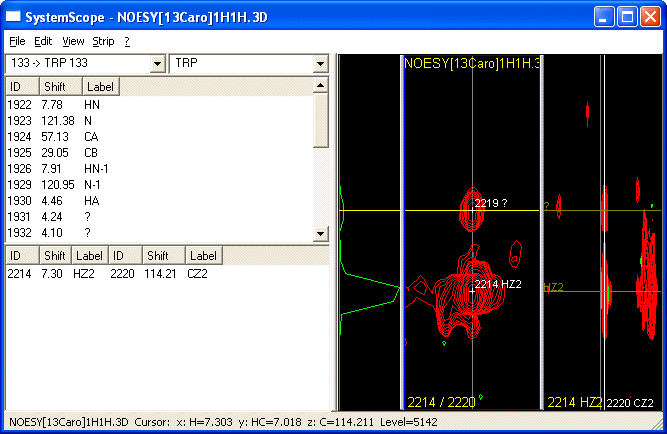
In an aromatic 13C-resolved [H,H]-NOESY, you see a crosspeak in the HZ2/CZ2-strip. What was the name of the next H in the ring ?
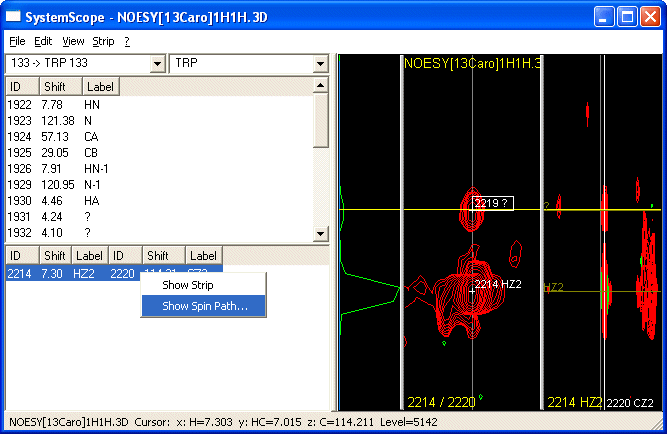
A right-click on the anchor reveals the Show Spin Path... submenu
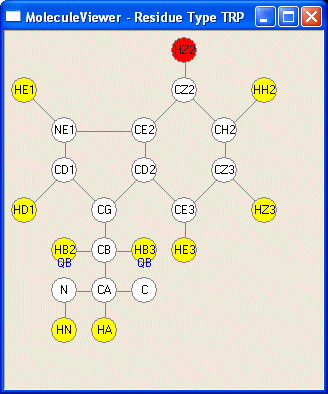
which suggests HH2. In red you see the current atom pair, in yellow possible contacts( since this is a NOESY, all are possible).
Example 2: Reference chemical shifts
Reference Chemical Shift values are part of a Repository. You can access them under Project->Project Name->Sequence followed by a click on the node of the amino acid in question.
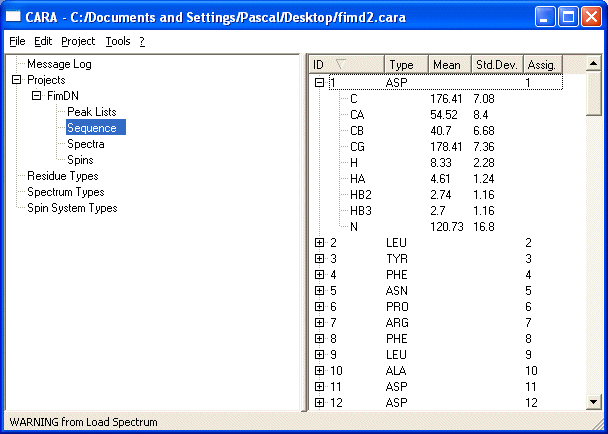
Don't forget that StripScope can visualize these data by showing rulers in your spectra with the expected ranges.
BACK: PseudoAtoms
NEXT: LUA: CARAs scripting language